
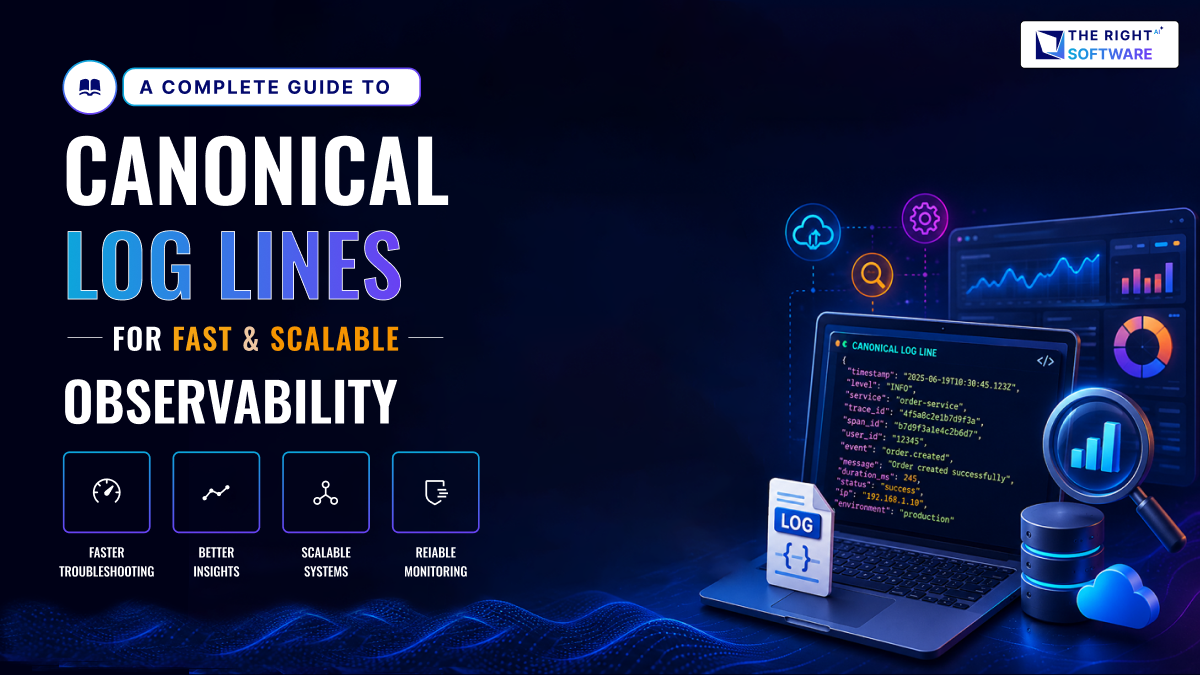
Modern software systems generate massive amounts of logs every second.
As organizations adopt microservices, cloud-native applications, and distributed systems, canonical log lines have become a critical component of modern observability strategies.However, most teams still struggle to extract meaningful insights from them. Logs are often inconsistent, noisy, and difficult to query. As systems scale, this problem only gets worse.
This is where canonical log lines change the game.
They bring structure, consistency, and flexibility to observability. Instead of treating logs as raw text, they transform them into standardized, queryable data. As a result, teams gain faster debugging, clearer insights, and more reliable systems.
At The Right Software, we see this shift as essential. Observability is no longer optional. It is a core capability for any modern software company.
What Are Canonical Log Lines?
Canonical log lines are structured, standardized log entries. Each log follows a predefined format, making it easier to process and analyze.
Instead of writing logs like this:
User login failed for user123You write:
{
  "event": "user_login",
  "status": "failed",
  "user_id": "user123",
  "timestamp": "2026-03-18T10:00:00Z"
}
This shift may seem small. However, it fundamentally changes how logs are used.
Now, logs are no longer just messages. They become structured data points.
Because of this, teams can:
Query logs instantly
Aggregate metrics easily
Detect anomalies faster
Why Traditional Logging Falls Short
Many systems still rely on free-text logging. While it works at a small scale, it quickly becomes unmanageable.
1. Inconsistent Formats
Different developers write logs differently. For example, one might log “User failed login,” while another writes “Login error.” This inconsistency makes searching unreliable.
2. Poor Queryability
Free-text logs are hard to filter. Even simple queries become complex. As a result, debugging takes longer.
3. Limited Context
Logs often lack structured context. Important details like user ID, request ID, or service name may be missing.
4. Scaling Issues
As systems grow, log volume increases. Without structure, analyzing logs becomes expensive and slow.
However, canonical log lines solve these problems directly.
This is one of the primary reasons organizations are moving toward structured logging and canonical log lines to improve scalability and observability.
Observability vs Monitoring vs Logging
Modern engineering teams often use observability, monitoring, and logging interchangeably. However, they serve different purposes. Understanding the difference is essential before implementing canonical log lines.
What is Monitoring?
Monitoring focuses on predefined metrics. Teams track known indicators such as CPU usage, memory, or error rates. It helps answer questions like:
- Is the system up?
- Are response times within limits?
However, monitoring only works for known scenarios.
What is Logging?
Logging is the process of recording events that occur within an application or system. These events can include user actions, API requests, system errors, database operations, and security activities.
Logs provide valuable information about what is happening inside a system and help teams troubleshoot issues, investigate incidents, and monitor application behavior.
However, traditional logging often relies on unstructured text, making it difficult to search, analyze, and correlate data across large-scale distributed systems. This is where structured logging and canonical log lines provide significant advantages.
What is Observability?
Observability goes a step further. It enables teams to understand why something happened. Instead of relying only on predefined metrics, it allows exploration of unknown issues.
Observability combines:
- Logs
- Metrics
- Traces
Where Canonical Log Lines Fit
Canonical log lines strengthen observability. They transform logs into structured, queryable data. As a result, logs become a reliable source for debugging and analysis.
In practice, monitoring tells you something is wrong. Observability, powered by canonical logs, tells you what and why.
How Canonical Log Lines Improve Observability
Canonical log lines introduce a structured logging approach. This enables better observability across distributed systems.
1. Standardization Across Services
Every service follows the same logging format. This ensures consistency across the system.
For example, every log might include:
timestamp
service_name
event_type
request_id
Because of this, logs from different services become comparable.
2. Faster Debugging
Structured logs make filtering easier. Engineers can quickly isolate issues.
For example:
- Find all failed payments
- Track a single request across services
- Identify errors in a specific region
This reduces mean time to resolution (MTTR).
This enables engineering teams to perform faster log analysis and significantly reduce incident investigation time.
3. Better Correlation
Canonical logs allow correlation across systems. By using shared fields like request IDs, teams can trace entire workflows.
This is especially useful in microservices architectures.
4. Real-Time Insights
Structured logs integrate well with observability tools. As a result, teams can build dashboards and alerts in real time.
Canonical Log Lines in Microservices Architecture
Microservices architectures introduce complexity. Each service runs independently, yet they must work together seamlessly. This creates challenges in tracking system behavior.
In microservices environments, maintaining a consistent logging schema across services is essential for effective observability and troubleshooting.
The Core Problem
A single user request may pass through multiple services. For example:
- API Gateway
- Authentication Service
- Payment Service
- Database
Without structured logging, tracing this journey becomes difficult.
Role of Canonical Log Lines
Canonical log lines provide consistency across services. Every log follows the same schema. This makes cross-service analysis possible.
Key fields include:
request_idtrace_idservice_nameevent
End-to-End Request Tracing
For example, a request starts at the API layer. It carries a request_id. Each service logs events using that same ID.
As a result, engineers can reconstruct the full request path. This is critical for debugging distributed systems.
Why It Matters
Microservices fail in complex ways. A single issue may involve multiple services. Canonical logging ensures visibility across the entire system.
Therefore, it becomes a foundation for scalable observability in modern architectures.
Canonical Log Lines Example in Distributed Systems
Consider an e-commerce platform.
Without canonical log lines:
Payment failed
Order issue
Timeout error
These logs are vague. They provide little insight.
With canonical log lines:
{
  "event": "payment",
  "status": "failed",
  "order_id": "ORD123",
  "amount": 5000,
  "currency": "PKR",
  "error_code": "TIMEOUT"
}
Now, the system becomes observable.
You can:
Track failed payments
Analyze error patterns
Measure transaction success rates
Key Components of a Canonical Log Line
To make logs truly useful, each log line should follow a consistent schema.
1. Timestamp
Always include a precise timestamp. Use a standard format like ISO 8601.
2. Event Name
Define a clear event name. For example:
- user_login
- payment_processed
- api_request
3. Status
Include the outcome of the event:
- success
- failed
- pending
4. Context Fields
Add relevant metadata:
- user_id
- request_id
- session_id
- service_name
5. Error Details
If an error occurs, include:
- error_code
- error_message
This ensures that logs remain actionable.
Canonical Log Lines vs Structured Logging
Many teams assume structured logging is enough. However, there is a key difference between structured logging and canonical log lines.
Structured Logging
Structured logging focuses on format. Logs are written in JSON or key-value pairs. This makes them machine-readable.
For example:
{
  "message": "login failed",
  "user": "123"
}
While useful, this approach lacks consistency across teams.
Canonical Log Lines
Canonical log lines go beyond format. They enforce a standardized schema across the entire system.
For Example:
{
 "event": "user_login",
 "status": "failed",
 "user_id": "123"
}
Notice the difference:
- Field names are consistent
- Event types are predefined
- Schema is shared across services
Why This Difference Matters
Without standardization, logs remain fragmented. Each team defines its own structure.
However, canonical logging ensures:
- Cross-team alignment
- Easier querying
- Better long-term scalability
In short, structured logging is the foundation. Canonical logging is the strategy that makes it scalable.
Designing an Effective Logging Schema for Canonical Logging
A well-designed logging schema is the backbone of effective canonical log lines. Without a clear structure, logs quickly become inconsistent and hard to use. As systems grow, this lack of structure leads to confusion, slow debugging, and poor observability.
In simple terms, a logging schema defines what every log should look like. It ensures that all services follow the same format, making logs easier to search, analyze, and scale.
When done right, a schema turns logs into reliable data instead of scattered messages.
Keep It Simple
Start with the essentials. Do not try to capture everything in a single log line. Focus only on fields that provide real value.
For example, most logs should include:
- event
- timestamp
- status
- request_id
Simple schemas are easier to adopt and maintain. They also reduce noise, which improves debugging speed.
Make It Extensible
Your system will evolve over time. New features, services, and requirements will appear. Because of this, your logging schema must be flexible.
Design it in a way that allows new fields to be added without breaking existing logs. For example, you might later add:
- region
- device_type
- feature_flag
An extensible schema ensures your logging system grows with your product.
Use Consistent Naming
Consistency is critical in structured logging best practices. Every field should follow the same naming convention across all services.
For example:
- Always use user_id
- Avoid variations like userId or uid
This consistency makes querying faster and reduces confusion across teams. It also improves integration with observability tools.
Avoid Redundancy
Do not repeat the same information in multiple fields. Redundant data increases log size and storage costs.
Instead, keep each field meaningful and unique. For example, if request_id already identifies a transaction, avoid duplicating that context elsewhere.
Reducing redundancy improves performance and keeps logs clean.
Think in Terms of Events
Instead of writing generic messages, design logs around events. Each log should clearly describe what happened.
For example:
- user_login
- payment_failed
- api_request_completed
This approach aligns perfectly with canonical log lines, making logs easier to filter and analyze.
A strong logging schema creates the foundation for scalable observability. It ensures that every log adds value, supports faster debugging, and keeps your system maintainable as it grows.
Business Benefits of Canonical Log Lines
Canonical log lines are not just a technical upgrade. They directly impact how businesses operate, scale, and deliver value. When logs are structured and consistent, teams move faster, systems become more reliable, and decisions improve.
In many modern systems, even a small issue can affect thousands of users. Therefore, having clear and actionable logs is no longer optional. It is a business necessity.
Faster Incident Resolution
When something breaks, time matters. Every minute of downtime can affect revenue and user trust.
With canonical log lines, teams can quickly filter and identify the root cause of an issue. Instead of scanning through messy logs, engineers can query specific fields like error_code or request_id.
For example, a payment failure can be traced across services within seconds. As a result, teams reduce mean time to resolution (MTTR) significantly.
In practice, companies adopting structured logging often see incident resolution times drop by 30–50%.
Improved Developer Productivity
Developers spend a large portion of their time debugging. Poor logging makes this process slow and frustrating.
However, with standardized logs, engineers can quickly understand what happened and why. They no longer need to guess or manually trace issues across systems.
This shift allows developers to:
- Spend less time investigating bugs
- Focus more on building features
- Deliver updates faster
Over time, this leads to better team efficiency and faster product development cycles.
Better Customer Experience
Users expect fast and reliable applications. Even small errors can damage trust.
Canonical log lines help teams detect and fix issues before they escalate. Because logs are structured, anomalies and failures become easier to identify.
For example, if login failures suddenly increase, teams can respond immediately. This reduces user frustration and improves overall satisfaction.
Fewer errors mean smoother user journeys and stronger customer retention.
Data-Driven Decisions
Logs are not just for debugging. They are a valuable source of business intelligence.
With structured and consistent logs, teams can analyze patterns and trends. For example:
- Which features are used the most
- Where users drop off
- What errors occur frequently
This data helps teams make informed decisions. Instead of relying on assumptions, they use real insights from system behavior.
As a result, businesses can optimize performance, improve features, and plan future growth more effectively
In the real world, canonical log lines bridge the gap between engineering and business outcomes. They turn raw system data into actionable insights, helping teams build faster, smarter, and more reliable software.
Tools & Tech Stack for Canonical Logging
Choosing the right tools is critical for implementing canonical log lines effectively. A well-designed stack ensures scalability, performance, and flexibility.
Log Collection Tools
These tools collect logs from applications:
- Fluentd
- Logstash
- Vector
They act as pipelines, forwarding logs to centralized systems.
Many organizations also integrate canonical log lines with OpenTelemetry, Grafana Loki, and the Elastic Stack to create a unified observability platform.
Storage and Indexing
Centralized storage allows efficient querying. Popular options include:
- Elasticsearch (ELK Stack)
- Grafana Loki
- Cloud-based logging platforms
Each option offers different trade-offs in cost and performance.
Visualization and Dashboards
Dashboards turn logs into insights. Tools such as Grafana help visualize patterns and trends.
For example, teams can:
- Track error rates
- Monitor request latency
- Identify unusual spikes
Alerting Systems
Alerting ensures proactive monitoring. Logs can trigger alerts based on specific conditions.
For example:
- Sudden increase in failed requests
- Repeated error codes
Integration with Observability Platforms
Modern platforms combine logs, metrics, and traces. This creates a unified observability layer.
As a result, canonical log lines integrate seamlessly into a complete monitoring ecosystem.
Migration Strategy: Moving to Canonical Log Lines
Transitioning to canonical log lines requires a structured approach. A rushed migration can create inconsistencies.
Step 1: Audit Existing Logs
Start by reviewing current logging practices. Identify:
- Inconsistent formats
- Missing fields
- Redundant logs
This helps define the scope of change.
Step 2: Define a Canonical Schema
Create a shared schema for all services. Include:
- Standard field names
- Event types
- Required metadata
Ensure all teams agree on this structure.
Step 3: Implement Gradually
Avoid a full system overhaul. Instead:
- Start with new services
- Update critical components first
This reduces risk.
Step 4: Maintain Backward Compatibility
During migration, both old and new logs may exist. Use transformation layers to standardize outputs.
Step 5: Monitor and Refine
Track adoption and performance. Adjust the schema as needed.
Over time, the system becomes fully aligned with canonical logging principles.
Integrating Canonical Log Lines into Your Stack
Adopting canonical log lines requires a systematic approach.
Step 1: Define the Schema
Start with a standard schema. Ensure all teams agree on it.
Step 2: Update Logging Libraries
Use structured logging libraries. Many modern frameworks support JSON logging.
Step 3: Centralize Logs
Send logs to a centralized system. This could be:
- ELK Stack
- Datadog
- Grafana Loki
Step 4: Build Dashboards
Create dashboards for key metrics. This improves visibility.
Step 5: Set Alerts
Define alerts based on log patterns. For example:
- error rate spikes
- failed transactions
Challenges and How to Overcome Them
While canonical log lines bring structure and clarity to observability, adoption is not always straightforward. Teams often face technical and organizational challenges during implementation.
However, with the right approach, these challenges can be managed effectively.
1. Initial Setup Effort
Setting up canonical logging requires time and planning. Teams need to define a shared schema, update existing code, and align multiple services.
At first, this may feel like extra overhead. However, the long-term benefits far outweigh the initial investment.
To overcome this:
- Start with a minimal schema
- Focus on high-impact services first
- Gradually expand across the system
A phased approach reduces risk and makes adoption more manageable.
2. Developer Adoption
Not all developers welcome change. Some may prefer existing logging practices, especially if they are used to free-text logs.
Without proper alignment, inconsistencies will continue.
To address this:
- Provide clear documentation and examples
- Define logging standards across teams
- Integrate schema validation into development workflows
Training sessions and code reviews also help reinforce best practices.
3. Log Volume Growth
Structured logs often include more fields. As a result, log size and storage requirements increase.
This can impact both performance and cost if not managed properly.
To control log volume:
- Use log sampling for high-frequency events
- Apply retention policies based on importance
- Avoid logging unnecessary or repetitive data
Balancing detail with efficiency is key to scalable logging.
4. Schema Drift
Over time, teams may start adding fields inconsistently. Different services may introduce variations in naming or structure.
This leads to schema drift, which reduces the value of canonical logging.
To prevent this:
- Maintain a central schema definition
- Conduct regular audits of log data
- Use automated validation tools
Consistency must be enforced continuously, not just during initial setup.
5. Integration Complexity
In large systems, multiple tools and services are involved. Integrating canonical log lines across different environments can be complex.
For example, legacy systems may not support structured logging easily.
To handle this:
- Use middleware or log transformation layers
- Standardize logs at the pipeline level
- Prioritize modernization of critical services
This ensures gradual alignment without breaking existing systems.
6. Over-Engineering the Schema
Some teams try to design a perfect schema from day one. This often leads to unnecessary complexity.
Over-engineered schemas are harder to adopt and maintain.
Instead:
- Keep the schema simple and practical
- Add fields only when needed
- Iterate based on real usage
A flexible approach works better than a rigid one.
Adopting canonical log lines is a strategic move. While challenges exist, they are manageable with the right planning and discipline.
In the long run, overcoming these challenges leads to better observability, faster debugging, and more scalable systems.
Performance and Cost Considerations
While canonical log lines improve observability, they also impact system performance and cost.
Log Volume Growth
Structured logs often contain more data. This increases storage requirements.
However, better structure improves query efficiency.
Storage Costs
Log storage can become expensive at scale. Retention policies help control costs.
For example:
- Keep critical logs longer
- Archive less important data
Query Performance
Well-structured logs improve search speed. Indexing key fields allows faster queries.
This reduces debugging time significantly.
Optimization Techniques
To balance cost and performance:
- Use log sampling
- Compress log data
- Optimize indexing strategies
Trade-Offs to Consider
More detailed logs provide better insights. However, they increase storage and processing costs.
Therefore, teams must balance detail with efficiency.
Best Practices for Canonical Logging
To get the most value, follow these best practices.
Use JSON Format
JSON is widely supported. It works well with most tools.
Adopting a standardized JSON schema ensures consistency across services and improves long-term maintainability.
Include Request IDs Everywhere
This enables end-to-end tracing.
Log at the Right Level
Use appropriate log levels:
- INFO
- WARN
- ERROR
Avoid Logging Sensitive Data
Do not log passwords or personal data.
Keep Logs Actionable
Every log should provide value. Avoid unnecessary noise.
Security and Compliance in Logging
Logging plays a critical role in security. However, it also introduces risks if not handled properly.
Organizations operating in regulated industries should align their logging practices with compliance frameworks and security standards.
Risks of Sensitive Data Exposure
Logs may accidentally store:
- Personal data
- Authentication tokens
- Financial information
This creates serious security concerns.
Best Practices for Secure Logging
To reduce risks:
- Mask sensitive fields
- Avoid logging passwords
- Use encryption where necessary
Access Control
Not all logs should be accessible to everyone. Implement role-based access control (RBAC).
This ensures only authorized users can view sensitive logs.
Compliance Considerations
Organizations must follow data protection standards. While requirements vary, common practices include:
- Data minimization
- Secure storage
- Controlled access
Why It Matters
Security incidents often originate from poor logging practices. Therefore, secure canonical logging is essential for enterprise systems.
How TRS Implements Observability
At The Right Software, observability is built into every system from day one.
We design logging architectures that scale with business needs. Instead of treating logs as an afterthought, we treat them as a core data layer.
Our approach includes:
- Standardized canonical log schemas
- Centralized log pipelines
- Real-time monitoring dashboards
- Automated alerting systems
Because of this, our clients experience faster debugging and more stable systems.
The Future of Observability and Canonical Logging
Observability in software systems is evolving rapidly. As applications become more distributed and data-driven, traditional approaches are no longer enough. Teams now need deeper insights, faster detection, and smarter automation.
In this shift, canonical log lines play a foundational role. They provide the structured data required for next-generation observability systems.
Looking ahead, several trends are shaping the future.
AI-Powered Monitoring
Artificial intelligence is transforming how teams monitor systems. Instead of relying only on manual alerts, AI models can analyze structured logs in real time.
With canonical log lines, logs become clean and consistent. This makes them ideal for machine learning models.
For example:
- Detect unusual spikes in errors
- Identify patterns that humans might miss
- Predict potential failures before they happen
As a result, teams move from reactive debugging to proactive system management.
Unified Observability Platforms
Traditionally, logs, metrics, and traces were handled separately. This created fragmented insights and slower debugging.
However, modern platforms are bringing everything together into a single view.
With unified observability:
- Logs provide detailed event data
- Metrics show system performance
- Traces connect requests across services
Canonical log lines enhance this integration by ensuring logs are structured and consistent. This makes it easier to correlate data across different layers.
Event-Driven Architectures
Modern systems are increasingly event-driven. Instead of linear workflows, applications now react to events in real time.
For example:
- User actions trigger background processes
- Services communicate through event streams
- Systems scale dynamically based on demand
In this environment, canonical log lines fit naturally. Each log represents a clear event, making it easier to track and analyze system behavior.
This alignment improves both observability and system design.
Cost Optimization
As data grows, cost becomes a major concern. Logging systems can quickly become expensive if not managed properly.
Structured logs help optimize costs in several ways:
- Faster queries reduce compute usage
- Better filtering avoids unnecessary data processing
- Clear schemas reduce duplication
Additionally, teams can implement smarter retention strategies based on log importance.
Over time, this leads to more efficient use of resources without sacrificing visibility.
The future of observability is not just about collecting more data. It is about making that data smarter, faster, and more actionable.
With canonical log lines at the core, organizations can build observability systems that are scalable, intelligent, and ready for the next generation of software challenges.
Common Mistakes Teams Make
Even with the right intentions, teams often misuse logging systems. These mistakes reduce the effectiveness of canonical log lines.
Over-Logging Everything
Logging too much data creates noise. It becomes harder to find useful information.
Inconsistent Field Naming
Using different names for the same field causes confusion. For example:
- user_id vs userid
Consistency is critical.
Missing Context
Logs without context are difficult to interpret. Always include identifiers like request IDs.
Ignoring Log Levels
Not all logs are equal. Misusing log levels reduces clarity.
For example:
- Use ERROR for failures
- Use INFO for normal events
Lack of Schema Governance
Without governance, schemas drift over time. This breaks consistency.
How to Avoid These Mistakes
- Define clear logging standards
- Enforce schema validation
- Regularly review logs
By avoiding these pitfalls, teams can fully leverage canonical logging.
Conclusion
Canonical log lines are becoming a foundational component of modern observability architectures, helping organizations build scalable, reliable, and data-driven systems. They transform logs into structured, actionable data.
This leads to:
- Faster debugging
- Better monitoring
- Improved system reliability
However, success depends on proper implementation. A well-defined schema and consistent usage are essential.
For modern software teams, this is no longer optional. It is a necessity.
Turn Your Logs into Real Insights
Logs should do more than store data. They should help you understand your system, detect issues faster, and make better decisions.
If your current logging setup feels messy or hard to scale, now is the right time to improve it.
Connect with The Right Software to design a modern observability strategy built on structured and canonical logging.