
AI & Business Growth, AI developement, Artificial intelligence (AI), General
How to Complete a Vibe Coding Project: 20-Point Production Playbook
By rightsw · · Updated
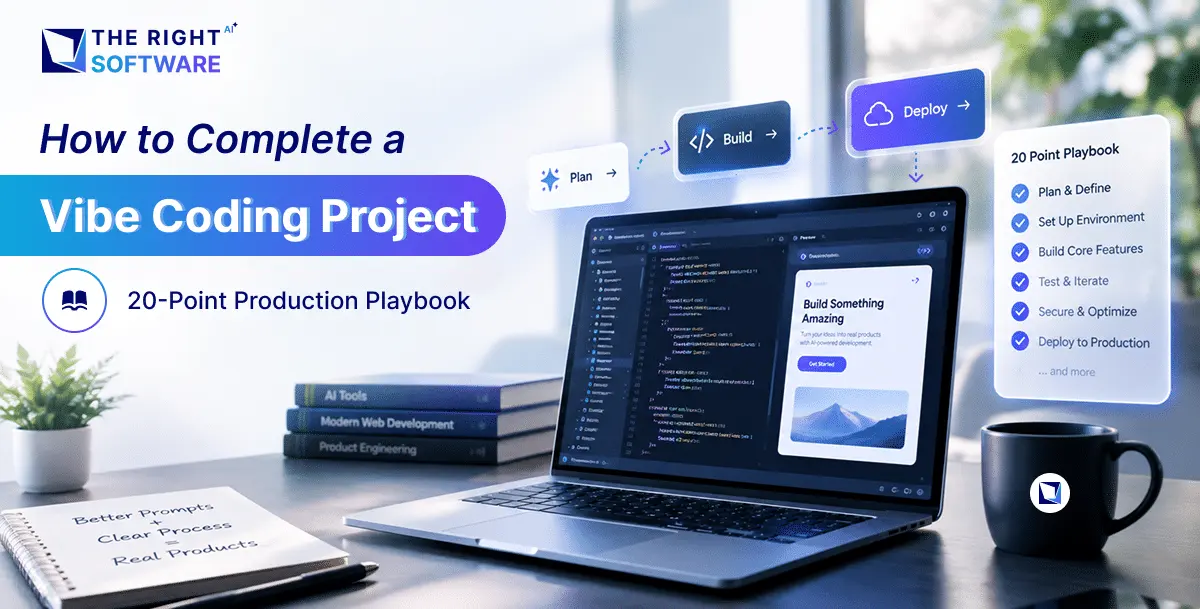
AI-assisted coding—broadly termed vibe coding—lets developers, technical founders, and builders scaffold functional web applications in record time using tools like Cursor, Claude, v0, Lovable, and Bolt. Prompting your way to a working MVP feels fast and frictionless.
However, a working prototype is not the same as a production-ready product.
Large language models naturally prioritize the immediate prompt instructions. They rarely configure the unglamorous foundations needed for sustainable traffic: search engine indexing, resilient form validation, responsive mobile layouts, legal compliance, and asset optimization.
This in-depth, 20-step production playbook breaks down every single item on the essential pre-launch checklist, turning your AI prototype into a secure, fast, and scalable web application.
┌────────────────────────────────────────────────────────────────────────┐
│                  THE VIBE CODING PRODUCTION LIFECYCLE                  │
├──────────────────────┬───────────────────────┬─────────────────────────┤
│ 1. SEARCH & CRAWL    │ 2. DEFENSIVE UX       │ 3. CONVERT & COMPLY     │
│ • Sitemaps & meta    │ • 404 & skeletons     │ • Sticky CTA & mobile   │
│ • Robots & OG tags   │ • Form validation     │ • Privacy, terms, data  │
└──────────────────────┴───────────────────────┴─────────────────────────┘
1. Custom 404 Error Page
Default server error pages or generic white screens immediately erode user trust and cause high bounce rates when visitors hit broken or outdated links.
- Retain Global Navigation: Ensure your 404 page retains your primary navbar, footer, and active search bar so users can navigate back into your app.
- Add Clear Recovery CTAs: Provide a direct button back to the homepage (
/) or popular directory hubs. - HTTP Status Code Validation: Verify that your server returns an actual
404 Not Foundresponse code rather than a200 OK“soft 404,” which confuses search engine crawlers.
2. Conversion-Focused CTA Above the Fold
Your primary Call to Action (CTA) must be clearly visible within the first screenful of content without requiring the visitor to scroll.
- Visual Hierarchy: Place your primary value proposition headline, supporting social proof, and high-contrast CTA button directly inside the hero container.
- Actionable Copywriting: Replace ambiguous button text like
"Submit"or"Learn More"with concrete, value-driven text like"Start Free Trial","Deploy App", or"Book Live Demo". - Viewport Testing: Verify that on standard laptop and tablet viewports, secondary banners or oversized headers do not push the button out of view.
3. Unique Meta Titles for Every Dynamic Route
Large language models routinely default to hardcoding static title tags across every page or omitting dynamic document head updates entirely.
- Dynamic Document Heads: Configure dynamic title tags that update per route based on the specific content or database record being viewed.
- Length & Formatting: Keep titles strictly between 50 and 60 characters to prevent search engines from truncating them in results.
- Keyword Strategy: Structure titles using the formula:
Primary Target Keyword | Secondary Detail | Brand Name.
4. Search Intent-Driven Meta Descriptions
Meta descriptions are your organic ad copy in search results; they determine whether an interested user clicks your link or your competitor’s.
- Target Length: Keep descriptions between 140 and 155 characters to ensure clean display on both desktop and mobile search engines.
- Direct Value Proposition: Use active verbs and clearly summarize what the page delivers (e.g., “Discover how to automate multi-channel inventory tracking with real-time analytics. Start your 14-day trial today.”).
- Sanitization: Strip raw markdown, code snippets, or double quotes when pulling descriptions dynamically from a CMS.
5. High-Resolution Open Graph (OG) Images
When your links are shared on LinkedIn, X, Slack, Discord, or WhatsApp, social cards dictate click-through rates.
┌────────────────────────────────────────────────────────┐
│  Open Graph Preview Card (1200 x 630 px)               │
│ ┌────────────────────────────────────────────────────┐ │
│ │                                                    │ │
│ │  Dynamic Headline + Visual Asset Preview           │ │
│ │                                                    │ │
│ └────────────────────────────────────────────────────┘ │
│  Page Title: Real-Time Intelligence Platform           │
│  Domain.com • 3 min read                               │
└────────────────────────────────────────────────────────┘- Standard Dimensions: Generate fallback social sharing cards sized precisely to 1200 × 630 pixels.
- Dynamic Generation: For dynamic routes (such as blog posts or user profiles), leverage automated image generation libraries (like
@vercel/og) to render titles and branding onto the card dynamically. - Tag Verification: Ensure both
<meta property="og:image">and<meta name="twitter:image">tags are present in your rendered HTML head.
6. Complete Favicon Suite & Web App Manifest
Missing favicons pollute your backend logs with 404 GET /favicon.ico errors and make browser tabs hard to identify when users have multiple windows open.
-
Asset Package:
/favicon.ico(32×32 multi-resolution legacy fallback)/icon.svg(Scalable vector icon that adapts to browser light/dark modes)/apple-touch-icon.png(180×180 high-res icon for iOS bookmarks)
-
Web App Manifest: Include a
manifest.webmanifestdefining application name, start URL, display theme colors, and platform icons for Progressive Web App (PWA) compatibility.
7. Deterministic robots.txt Rules
A missing or misconfigured robots.txt file can lead search crawlers to index private internal paths or exhaust your crawl budget on API endpoints.
- File Location: Serve a clean plain-text
robots.txtfile from your root public directory. - Standard Implementation:
User-agent: *
Allow: /
Disallow: /api/
Disallow: /dashboard/
Disallow: /auth/

Sitemap: https://yourdomain.com/sitemap.xml
Production Guardrail: Always confirm that pre-production rules like Disallow: / are removed prior to deploying to your live domain.
8. Dynamic sitemap.xml Pipeline
Search engines rely on up-to-date sitemaps to discover new pages, index dynamic content, and understand site structure.
- Automated Generation: Implement a build-time or server-side route that queries your database and dynamically compiles every public URL into an XML feed.
- Required Properties: Include
<loc>(fully qualified URL),<lastmod>(ISO 8601 timestamp), and<changefreq>tags for every entry. - Search Console Submission: Submit your live
sitemap.xmlURL directly to Google Search Console and Bing Webmaster Tools immediately after deployment.
9. Meaningful Image Alt Text
AI code generators often render placeholder markup like <img src="..." alt="" /> or populate the attribute with generic strings like "image".
- Accessibility Standards: Screen readers depend on alt text to describe visual content to visually impaired users (WCAG compliance).
- SEO Context: Search engines use alt text to index images in visual search results.
- Execution: Write concise, descriptive text explaining the image content in context (e.g.,
alt="Monthly revenue chart showing a 24 percent increase after onboarding").
10. Responsive Mobile Breakpoints
Most vibe coding occurs on large desktop monitors, meaning mobile UI bugs are frequently missed until real users encounter them.
- Viewport Coverage: Test your layout continuously across narrow mobile (320px–375px), standard mobile (390px–428px), tablet (768px–1024px), and wide desktop screens.
- No Horizontal Scroll: Audit and eliminate fixed pixel widths (e.g.,
w-[650px]) that force horizontal scrolling on small screens. - Touch Target Sizing: Ensure all interactive elements, buttons, and navigation links have a minimum hit area of 48 × 48 pixels with adequate spacing between adjacent actions.
11. Sticky Mobile CTA Bar
On mobile screens, once a visitor scrolls past the hero section, your conversion opportunity disappears from the screen.
┌──────────────────────────┐
│  Mobile Viewport (390px) │
│ ┌──────────────────────┐ │
│ │ Header & Navigation  │ │
│ ├──────────────────────┤ │
│ │ Product Details &    │ │
│ │ Feature Breakdown    │ │
│ │                      │ │
│ ├──────────────────────┤ │
│ │ Sticky Bottom CTA    │ │ <── Always visible & accessible
│ └──────────────────────┘ │
└──────────────────────────┘- Thumb Zone Optimization: Anchor a lightweight sticky bar to the bottom of the viewport on mobile devices (
md:hidden). - Implementation: Include a concise prompt alongside a primary conversion button to allow users to act immediately without scrolling back to the top.
12. Explicit Loading States & Content Skeletons
When fetching remote data or processing API calls, blank screens or frozen buttons cause users to click repeatedly or bounce.
- Skeleton Loaders: Replace generic spinning wheels with animated SVG or CSS skeleton placeholders that mirror the exact layout of incoming cards, tables, and text.
- Perceived Performance: Skeletons preserve spatial continuity and eliminate Cumulative Layout Shift (CLS) when content renders.
- Disabled States: Ensure submit buttons disable and display explicit loading indicators during background operations to prevent duplicate form submissions.
13. Comprehensive Form Error States & Input Validation
AI-scaffolded forms often rely solely on native browser validation (required), which looks inconsistent across platforms and fails to handle complex server-side errors.
┌────────────────────────────────────────────────────────┐
│  Work Email                                            │
│ ┌────────────────────────────────────────────────────┐ │
│ │ [email protected]                                     │ │
│ └────────────────────────────────────────────────────┘ │
│ ! Please enter a corporate work email address.         │
└────────────────────────────────────────────────────────┘- Schema-Driven Validation: Implement schema validators (such as Zod or Yup) paired with form handlers (like React Hook Form).
- Inline Visual Feedback: Highlight invalid inputs with clear border styling and render specific error explanations directly beneath the field.
- Asynchronous Error Handling: Gracefully display server-side errors (e.g., “Card declined” or “Domain already in use”) without clearing other valid input fields.
14. Dedicated Thank-You & Post-Conversion Pages
Ending a purchase or lead submission with a small popup toast misses a crucial opportunity for user onboarding and analytics tracking.
- Dedicated Routes: Redirect successful form submissions to a distinct
/thank-youor/welcomeURL. - Conversion Attribution: Dedicated URLs make it easy to configure conversion tracking pixels (Google Ads, Meta, LinkedIn) without complex event listeners.
- Next Steps: Provide immediate value on the thank-you page: link to documentation, display quick-start videos, or explain what will happen next.
15. Comprehensive Privacy Policy
If your site collects emails, sets analytics cookies, or integrates third-party tools, publishing an accurate Privacy Policy is a legal requirement.
- Data Transparency: Detail what user data is collected, how it is stored, and how long it is retained.
- Third-Party Disclosures: Explicitly name external data processors used by your app (e.g., Stripe for billing, PostHog for telemetry, Resend for transactional email).
- User Rights: Include clear instructions on how users can request data export or account deletion in compliance with GDPR and CCPA regulations.
16. Enforceable Terms & Conditions
Protect your application from liability, automated scraping, abusive usage, and unmanaged payment disputes.
- Acceptable Use Policies: Define prohibited behaviors, including API rate-limit abuse, illegal content generation, and unauthorized reverse engineering.
- Limitation of Liability: Include standard clauses that limit your liability regarding service uptime, data loss, or indirect business damages.
- Billing & Cancellation: State subscription renewal terms, refund boundaries, and cancellation procedures clearly.
17. Intelligent Cookie Consent Banner
Adding analytics scripts or advertising pixels to your code without managing user consent violates privacy laws in multiple jurisdictions.
- Explicit Opt-In: Block non-essential tracking scripts and cookies from executing until the visitor clicks
"Accept". - Granular Options: Provide users with toggles to allow necessary cookies while opting out of marketing or advertising trackers.
- State Persistence: Store consent preferences in a local cookie so returning visitors are not repeatedly prompted.
18. Product Analytics & Telemetry Infrastructure
Shipping an application without event tracking means flying blind during your initial launch traffic spike.
-
Telemetry Stack: Deploy a privacy-first or event-driven analytics provider (such as PostHog, Plausible, Mixpanel, or Google Analytics 4).
-
Core Conversion Funnels: Beyond basic pageviews, instrument custom events for critical milestones:
- CTA clicks (
cta_hero_clicked) - Validation errors (
form_validation_failed) - Checkout initiations (
checkout_started) - Successful signups (
user_registered)
- CTA clicks (
19. Verified Contact Information
Anonymous landing pages convert poorly because enterprise buyers and consumers look for credibility and accountability.
- Visible Footer Details: Display a monitored support email address (
[email protected]), physical or registered business address, and links to verified social channels. - Dedicated Contact Route: Provide a simple
/contactpage with direct response-time expectations (e.g., “Our team responds within 24 business hours”).
20. Next-Gen Image Compression (WebP & AVIF)
AI coding tools often import raw, multi-megabyte PNG stock assets that severely degrade page speed and Core Web Vitals.
Asset Format Size Comparison (1920x1080 Graphic):
┌────────────────────────────────────────────────────────┐
│ PNG (Uncompressed) ██████████████████████████ 3.2 MB   │
│ WebP (Modern)      ████ 340 KB                         │
│ AVIF (Next-Gen)    █ 160 KB (95% Reduction)            │
└────────────────────────────────────────────────────────┘- Modern Formats: Convert all raster images (PNG, JPEG) to WebP or AVIF to reduce file sizes by 80–90% without visible loss in quality.
- Prevent Layout Shift (CLS): Always specify explicit
widthandheightattributes on image elements so the browser reserves space before the asset downloads. - Native Lazy Loading: Apply
loading="lazy"to all images situated below the fold to prioritize network bandwidth for critical hero elements.
Pre-Launch Execution Matrix
| # | Checklist Milestone | Category | Core Benefit |
|---|---|---|---|
1 |
Custom 404 Page | UX / Polish | Retains lost visitors on broken links |
2 |
Hero CTA Above Fold | Conversion | Captures intent immediately upon landing |
3 |
Dynamic Meta Titles | SEO | Prevents duplicate title tags and keyword cannibalization |
4 |
Meta Descriptions | SEO | Maximizes search engine click-through rates |
5 |
Open Graph Images | Social | Generates high-converting rich previews on social channels |
6 |
Favicon & Manifest | Branding | Eliminates 404 errors and brands browser tabs |
7 |
robots.txt Configuration | SEO | Directs search crawler access and protects private routes |
8 |
Dynamic sitemap.xml | SEO | Ensures complete and rapid indexing of all public URLs |
9 |
Descriptive Alt Text | Accessibility | Supports screen readers and visual search indexing |
10 |
Mobile Breakpoints | UX / Mobile | Fixes broken layouts and removes horizontal scrolling |
11 |
Sticky Mobile CTA | Conversion | Keeps primary conversion actions accessible during scroll |
12 |
Loading Skeletons | UX / Polish | Prevents layout shift and provides visual progress feedback |
13 |
Form Error Validation | UX / Defense | Prevents silent failures and guides users through fixes |
14 |
Dedicated Thank-You Page | Conversion | Improves user onboarding and streamlines conversion tracking |
15 |
Privacy Policy | Compliance | Satisfies GDPR, CCPA, and payment gateway requirements |
16 |
Terms & Conditions | Legal | Protects your platform against abuse and legal liability |
17 |
Cookie Consent Banner | Compliance | Manages regulatory compliance for user tracking scripts |
18 |
Analytics Pipeline | Telemetry | Measures user behavior, funnels, and retention |
19 |
Verified Contact Data | Trust | Establishes legitimacy and buyer confidence |
20 |
Image Compression | Performance | Speeds up initial page load and improves Core Web Vitals |
How to Prompt Your AI Tool to Execute This Checklist
Attempting to run all 20 items in a single AI prompt will overwhelm the model’s context window, leading to truncated code or skipped files. Execute your production sprint in four structured batches:
Prompt 1: SEO, Metadata & Crawlers (Items 3, 4, 5, 6, 7, 8, 9)
“Audit our current codebase for SEO and discovery.
- Set up dynamic, unique meta titles and descriptions for all routes.
- Implement Open Graph meta tags with a fallback 1200x630px social card.
- Generate a dynamic
sitemap.xmlroute that indexes all public pages. - Add a
robots.txtfile in the public folder allowing standard crawling while excluding/apiand private dashboards. - Verify all
<img>tags have descriptivealtattributes.”
Prompt 2: Defensive UX & Form Polish (Items 1, 12, 13, 14)
“Harden the user interface and error boundaries.
- Create a branded
404 Not Foundpage with navigation links back to the home page. - Replace empty loading states with skeleton components matching our data card and table layouts.
- Add schema validation to all forms, displaying clear inline error messages beneath invalid fields.
- Direct successful form submissions to a dedicated
/thank-youroute.”
Prompt 3: Mobile Breakpoints & Conversion (Items 2, 10, 11)
“Audit and optimize the application for mobile devices (320px to 768px).
- Verify that the primary hero CTA is visible above the fold on mobile viewports.
- Add a sticky, fixed bottom CTA bar visible only on mobile screens (
md:hidden). - Eliminate any horizontal scrolling issues and ensure all interactive touch targets are at least 48x48px.”
Prompt 4: Compliance, Performance & Telemetry (Items 15, 16, 17, 18, 19, 20)
“Finalize launch infrastructure and asset performance.
- Add
/privacyand/termsroutes with complete policy templates. - Create an analytics event wrapper to track form submissions and CTA clicks.
- Compress all raster assets to WebP/AVIF and define explicit width and height dimensions on images.
- Ensure our favicon suite and
manifest.webmanifestare properly linked in the root layout.”
Turn Your AI Prototype into Resilient, Enterprise-Grade Software
Bridging the gap between a fast AI prototype and a reliable, production-ready web application requires deep full-stack engineering expertise, disciplined SEO architecture, and rigorous edge-case hardening. Whether you need to scale an autonomous agent interface, optimize complex database pipelines, or harden your vibe-coded MVP for high-concurrency production traffic, our team engineers robust, scalable web and AI systems tailored to your technical requirements.
See what we build or Schedule a Production Architecture Audit to see how our engineering team can turn your prototype into high-performance, ship-ready software today.
Frequently asked questions
What is vibe coding?
Vibe coding is building applications by prompting AI coding tools such as Cursor, Claude, v0, Lovable and Bolt, which can produce a working MVP very quickly.
Why is a vibe-coded prototype not production-ready?
Language models focus on the immediate instruction and rarely add search indexing, robust form validation, responsive mobile layouts, legal compliance or asset optimisation, which a live product needs.
What SEO basics does a vibe-coded site need before launch?
Unique dynamic meta titles and descriptions, Open Graph and Twitter image tags with a 1200 × 630 image, a correct robots.txt, a dynamic sitemap.xml submitted to search engines, and descriptive alt text on images.
What legal pages does a new web app need?
A privacy policy that names data processors and explains user rights under GDPR and CCPA, terms and conditions covering acceptable use, liability and billing, and a cookie consent banner that blocks non-essential tracking until the visitor opts in.
How should I ask an AI tool to apply the checklist?
In four separate prompts: SEO, metadata and crawlers; defensive UX and forms; mobile breakpoints and conversion; then compliance, performance and telemetry. One prompt for all 20 items can overwhelm the model's context and lead to skipped files.