
Introduction: How AI Is Reshaping User Experience Design
User experience (UX) design has always focused on understanding human behavior. Designers observe how users think, interact, and make decisions. However, the scale and complexity of modern digital products have changed that process. Businesses now serve millions of users across platforms, devices, and regions. Traditional UX methods alone are no longer sufficient.
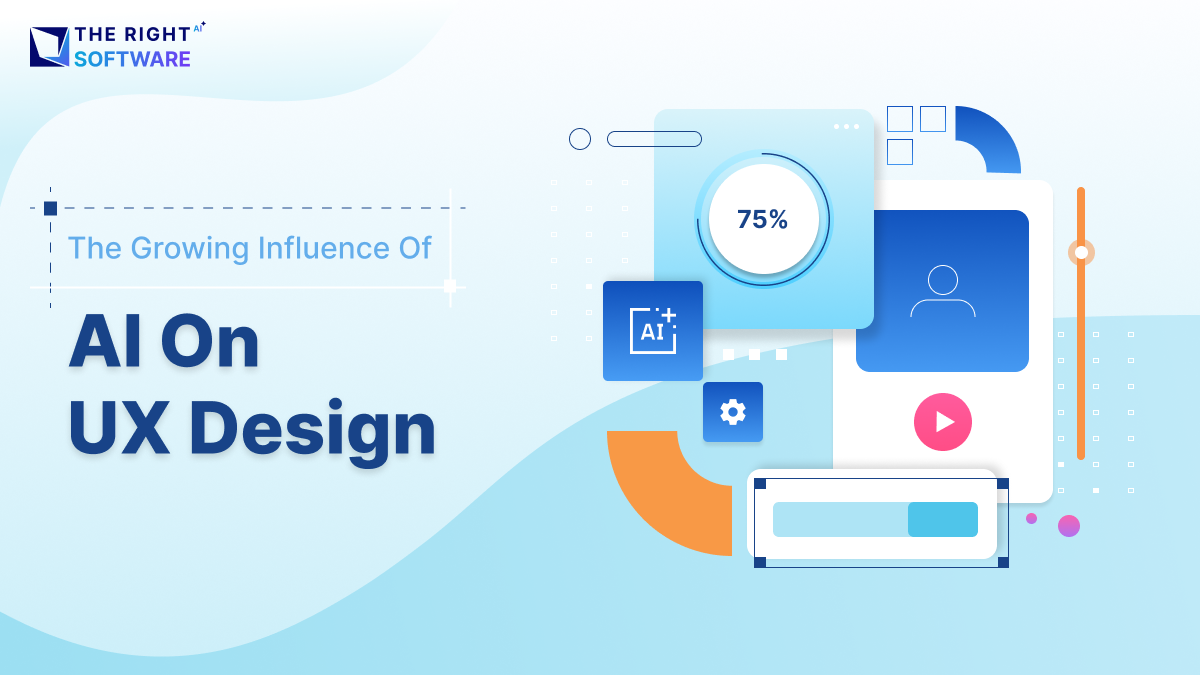
Artificial intelligence (AI) has emerged as a powerful force in UX design. It enables teams to analyze massive datasets, predict user behavior, and personalize experiences in real time. As a result, UX design is shifting from static, assumption-based workflows to adaptive, data-driven systems.
At The Right Software (TRS), we see AI as an enabler rather than a replacement. When used correctly, it strengthens design decisions and improves product outcomes. This article explores how AI is influencing UX design, where it adds value, and what businesses should consider when adopting AI-driven UX strategies.
The Evolution of UX Design in the Age of AI
From intuition to intelligence
In the early days, UX design relied heavily on intuition and manual research. Designers conducted interviews, built personas, and tested prototypes with small user groups. These methods remain valuable, but they have limitations. They are time-consuming and often subjective.
AI changes this dynamic by introducing intelligence at scale. Machine learning models can analyze user behavior across thousands of sessions in minutes. They detect patterns that humans might overlook. For example, AI can identify where users hesitate, abandon flows, or struggle with navigation.
As a result, UX decisions become evidence-based rather than assumption-driven. Designers still guide the creative direction, but AI provides clearer signals.
Data-driven design as the new standard
Modern digital products generate continuous streams of data. Every click, scroll, and interaction tells a story. AI systems translate this raw data into actionable insights.
For example, AI-powered analytics tools can:
Detect usability issues automatically
Predict friction points before conversion drops
Segment users based on behavior rather than demographics
This shift enables teams to iterate faster and design more effectively. However, it also requires new skills. UX designers must now understand how to interpret AI-generated insights without losing sight of human needs.
Personalization and Predictive UX Powered by AI
Personalized experiences at scale
Personalization is one of the most visible impacts of AI on UX design. Users increasingly expect digital products to adapt to their preferences. Static interfaces no longer meet expectations.
AI enables personalization by analyzing real-time user behavior. Instead of showing the same interface to everyone, systems can adjust layouts, content, and recommendations dynamically.
Common examples include:
Personalized dashboards in SaaS products
Content recommendations in media platforms
Adaptive onboarding flows for new users
For example, an AI-driven onboarding system might skip basic tutorials for experienced users. At the same time, it can provide extra guidance for beginners. This improves satisfaction without increasing design complexity.
// Example: Simple AI-based UX personalization logic
function personalizeDashboard(userBehavior) {
  if (userBehavior.sessions > 10 && userBehavior.featureUsage.includes("analytics")) {
    return "Show Advanced Analytics Dashboard";
  }

  if (userBehavior.isNewUser) {
    return "Show Guided Onboarding";
  }

  return "Show Standard Dashboard";
}
For example, AI-driven UX personalization often begins with simple behavioral rules before evolving into machine learning models.
| UX Aspect | Traditional UX | AI-Driven UX |
|---|---|---|
| Interface behavior | Same for all users | Adapts per user behavior |
| Onboarding flow | Fixed steps | Dynamic and conditional |
| Content display | Manual configuration | Real-time personalization |
| Scalability | Limited | Highly scalable |
| User satisfaction | Moderate | Higher |
Predictive UX and proactive design
Predictive UX goes a step further. Rather than reacting to user actions, AI anticipates them. It uses historical data to predict what users will need next.
For example:
Autofill suggestions reduce form friction
Smart notifications appear at optimal times
Search interfaces anticipate queries
These features reduce cognitive load and make products feel intuitive. However, predictive UX must be handled carefully. Over-automation can feel intrusive if it removes user control. Strong UX design balances prediction with transparency.
At TRS, we emphasize predictive features that support users without surprising them. Trust remains a core UX principle.
AI-Assisted UX Research and Design Processes
Automating UX research insights
UX research traditionally requires significant manual effort. Teams analyze surveys, usability tests, and feedback logs. AI accelerates this process without eliminating human judgment.
Natural language processing (NLP) tools can analyze thousands of user comments. They detect sentiment, recurring complaints, and emerging needs. This allows teams to prioritize design improvements more effectively.
For example, AI can:
Categorize feedback automatically
Identify sentiment trends over time
Highlight usability issues across platforms
Instead of replacing researchers, AI augments their capabilities. Researchers spend less time sorting data and more time interpreting insights.
# Example: Basic sentiment analysis for UX feedback
from textblob import TextBlob

feedback = "The checkout process feels confusing and slow."

analysis = TextBlob(feedback)
sentiment_score = analysis.sentiment.polarity

if sentiment_score < 0:
    print("Negative UX feedback detected")
else:
    print("Neutral or positive feedback")
AI in wireframing and prototyping
AI tools now assist in early design stages as well. Some platforms generate wireframes based on content requirements or user flows. Others suggest layout improvements based on usability heuristics.
These tools reduce repetitive work and speed up iteration cycles. However, they do not replace creativity. Designers still define structure, branding, and emotional tone.
At The Right Software, we use AI-assisted design tools selectively. They improve efficiency while allowing designers to focus on problem-solving and storytelling.
| Research Task | Manual UX Research | AI-Assisted UX Research |
|---|---|---|
| Feedback analysis | Time-intensive | Automated |
| Pattern detection | Subjective | Data-driven |
| Scalability | Limited | High |
| Insight accuracy | Variable | More consistent |
Ethical Considerations and Human-Centered AI UX
Designing for trust and transparency
As AI becomes more embedded in UX design, ethical considerations grow in importance. Users may not always understand how AI influences their experience. This can create confusion or mistrust.
Good UX design makes AI behavior transparent.
// Example: Transparent AI recommendation explanation
function showRecommendationReason(item) {
  return `Recommended because you viewed similar items like ${item}.`;
}
For example, recommendation systems should explain why certain content appears. Automated decisions should offer user control and feedback options.
Transparency improves trust, which directly impacts engagement and retention.
Avoiding bias in AI-driven UX
AI systems learn from data. If the data contains bias, the UX will reflect it. This can lead to exclusionary or unfair experiences.
UX designers must collaborate with data teams to identify bias risks. Inclusive testing, diverse datasets, and continuous monitoring are essential.
Human-centered design remains critical. AI should support human values, not override them.
At TRS, ethical UX design is a non-negotiable principle. AI enhances experiences only when it respects user autonomy and fairness.
The Business Impact of AI-Driven UX Design
Improved conversion and retention
AI-enhanced UX design directly affects business metrics. Personalized and predictive experiences reduce friction. As a result, conversion rates improve.
For example:
Smarter checkout flows reduce abandonment
Adaptive interfaces improve task completion
Context-aware content increases engagement
These improvements translate into measurable ROI. UX is no longer just a design concern. It is a strategic business asset.
| Metric | Before AI UX | After AI UX |
|---|---|---|
| Conversion rate | 2.1% | 3.6% |
| User retention | 45% | 62% |
| Task completion time | High | Reduced |
| Support tickets | Frequent | Fewer |
Faster iteration and reduced costs
AI also reduces design and development cycles. Automated testing, analytics, and prototyping shorten feedback loops. Teams identify issues earlier and deploy improvements faster.
This efficiency lowers costs while improving product quality. Businesses that invest in AI-driven UX gain a competitive advantage.
The Future of AI and UX Design
Collaboration between humans and machines
The future of UX design is collaborative. AI handles data analysis and optimization. Designers focus on empathy, creativity, and strategy.
This partnership creates better outcomes than either could achieve alone. UX professionals who embrace AI will lead the next generation of digital experiences.
Preparing your organization for AI-driven UX
Adopting AI in UX design requires more than tools. It requires a mindset shift. Teams must:
Invest in data literacy
Align design and engineering workflows
Define ethical guidelines
At The Right Software, we help organizations integrate AI thoughtfully. Our approach ensures that technology serves both business goals and user needs.
AI Tools and Technologies Shaping Modern UX Design
Intelligent UX design tools in practice
AI-powered tools are becoming core components of modern UX workflows. These tools assist designers at different stages, from research to testing and optimization. Their goal is not automation alone, but decision support.
Common categories include:
AI-driven user analytics platforms
Heatmap and session replay tools with predictive insights
Automated usability testing solutions
Design systems enhanced by machine learning
For example, AI-based heatmaps can predict attention zones before a product launch. This allows teams to refine layouts early. Similarly, AI usability testing tools can simulate user behavior and identify friction points without large test groups.
However, tool selection matters. Overloading teams with disconnected AI tools reduces effectiveness. Strategic integration produces better results.
The role of AI in design systems
Design systems are evolving with AI capabilities. Instead of static components, AI-enhanced systems adapt based on usage patterns. They recommend component updates, spacing adjustments, or accessibility improvements.
This reduces inconsistency across large products. It also ensures that UX improvements scale efficiently across platforms.
At TRS, we focus on building intelligent design systems that grow with the product lifecycle.
Measuring the Success of AI-Driven UX Design
UX metrics enhanced by AI insights
Measuring UX success has always been challenging. Traditional metrics such as bounce rate or task completion provide limited context. AI enhances measurement by connecting behavior patterns with outcomes.
AI-driven UX measurement focuses on:
Behavioral clustering instead of averages
Predictive churn indicators
Experience-based segmentation
For example, AI can identify user groups likely to disengage weeks before churn occurs. Designers can then adjust flows proactively.
This shifts UX from reactive improvement to proactive optimization.
Aligning UX metrics with business outcomes
AI makes it easier to connect UX decisions with business KPIs. Conversion, retention, and engagement can be directly tied to UX changes.
This alignment strengthens stakeholder buy-in. UX design becomes a strategic lever rather than a support function.
Organizations that quantify UX impact gain a significant advantage.
Challenges and Limitations of AI in UX Design
Over-reliance on automation
AI offers efficiency, but over-reliance introduces risk. Automated recommendations may optimize for short-term metrics while harming long-term experience.
For example, aggressive personalization can reduce discovery. Similarly, excessive prompts may interrupt user flow.
UX teams must validate AI outputs through human review. Critical thinking remains essential.
Data quality and context gaps
AI systems depend on data quality. Incomplete or biased data leads to flawed UX decisions. Contextual understanding is another limitation.
AI may identify what users do, but not always why they do it. Qualitative research remains necessary.
At The Right Software, we treat AI insights as signals, not conclusions.
How Businesses Can Adopt AI-Driven UX Strategically
IF data is ready
  → Apply AI analytics
IF insights are validated
  → Enable personalization
IF UX improves
  → Scale AI across product
A phased adoption approach
Successful AI-driven UX adoption requires planning. Organizations should avoid abrupt transformation. A phased approach works better.
Recommended steps include:
Strengthen data foundations
Introduce AI-assisted analytics
Apply AI to personalization and testing
Scale AI across UX workflows
Each phase should include evaluation and feedback loops.
Building cross-functional collaboration
AI-driven UX design requires collaboration between design, engineering, and data teams. Silos reduce effectiveness.
Shared goals, common metrics, and aligned workflows are essential. UX leaders play a key role in bridging these functions.
When collaboration is strong, AI becomes a multiplier.
Conclusion: AI Is Transforming UX, but Humans Still Lead
The growing influence of AI on UX design is undeniable. It enables personalization, prediction, and efficiency at unprecedented levels. However, AI does not replace designers. It amplifies their impact.
Successful UX design remains human-centered. AI provides insights, but empathy drives decisions. Businesses that balance intelligence with intuition will create the most meaningful experiences.
As digital products grow more complex, AI-driven UX design will become a necessity rather than a differentiator. The key is adopting it responsibly and strategically.
When Should You Use This?
Looking to build intelligent, user-centered digital products?
Partner with The Right Software to design AI-powered UX solutions that deliver measurable results.
Book a free consultation with our tech and UX experts today.